- Página de inicio /
- Libros /
- Arte y fotografía /
- Arquitectura /
- Drafting & Presentation /
- Autodesk Revit 2023 BIM Management: Template ...
0 ratings


Nº de artículo:
86750670
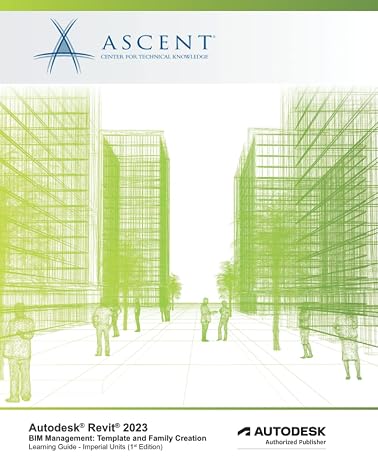
Autodesk Revit 2023 BIM Management: Template and Family Creation (Imperial Units): Autodesk Authorized Publisher
77% of respondents would recommend this to a friend
Nº de artículo:
86750670
DOP 6889
Price Details
Excluding Shipping & Custom charges ( Shipping and custom charges will be calculated on checkout )
*All items will import from Estados Unidos
En stock
 Importado de la tienda USA
QTY:
Haz tu pedido ahora y recíbelo por ahí Martes, Septiembre 29
Secured transaction
Ubuy works hard to protect your security and privacy. Our advanced payment security system ensures confidentiality by encrypting your information during transmission using AES (Advanced Encryption Standards) and SSL (Secure Socket Layer) protocols. Your payment details are 100% secure as we do not share your payment details with third party sellers.
Our Top Logistics Partners


Having this in place makes the process of any new project flow smoothly and efficiently.

Fast
Shipping

Free
Return*

Secure Packaging

100% Original Products

PCI DSS Compliance

ISO 27001 Certified



What Stands Out
BIM Excellence
Autodesk Revit 2023 offers advanced Building Information Modeling tools, enhancing project collaboration and accuracy while streamlining design processes across architecture and engineering disciplines.
Template Customization
The book provides detailed guidance on creating custom templates, enabling users to optimize workflow efficiency and establish a consistent design approach for future projects.
Authorized Training
As an Autodesk Authorized Publisher, this resource ensures proven content and expert insights, empowering users to master Revit 2023 effectively and leverage its full potential.
Detalles de producto
- Building Information Modeling (BIM) is an approach to the entire building life cycle. Autodesk® Revit® is a powerful BIM program for architecture, MEP, and structure that supports the ability to coordinate, update, and share design data with team members throughout the design construction and management phases of a building’s life. A key component in managing the BIM process is to establish a company foundation for different types of projects by creating standard templates and custom family elements. Having this in place makes the process of any new project flow smoothly and efficiently.The objective of the Autodesk® Revit® 2023 BIM Management: Template and Family Creation guide is to enable users who have worked with the software to expand their knowledge in setting up office standards with templates that include annotation styles, preset views, sheets, and schedules, as well as creating custom system, in-place, and component families.This guide contains practices that are specific to each discipline.Topics CoveredCreate custom templates with annotation styles, title blocks, and custom element types.Create schedules, including material takeoff schedules with formulas.Create custom wall, roof, and floor types, as well as MEP system families.Set up a component family file with a parametric framework.Create family geometry.Create family types.Modify the visibility of components and incorporate additional family items such as controls, MEP connectors, and nested components.Create specific families, including in-place families, profiles, annotations, and parameters.This guide also contains discipline-specific practices for families, including doors, windows, railings, pipe fittings, light fixtures, gusset plates, and built-up columns.PrerequisitesAccess to the 2023.0 version of the software, to ensure compatibility with this guide. Future software updates that are released by Autodesk may include changes that are not reflected in this guide. The practices and files included with this guide might not be compatible with prior versions (e.g., 2022).You should be comfortable with the fundamentals of the Autodesk Revit software, as found in the Autodesk Revit 2023: Fundamentals for Architecture, Autodesk Revit 2023: Fundamentals for Structure, or Autodesk Revit 2023: Fundamentals for MEP guides. Knowledge of basic techniques is assumed, such as creating standard elements, copying and moving elements, and creating and working with views. Information on Collaboration Tools, Conceptual Design, and Site and Structural Design are covered in other guides.
| Publisher | ASCENT, Center for Technical Knowledge |
| Publication date | October 11, 2022 |
| Language | English |
| Print length | 744 pages |
| ISBN-10 | 1959504029 |
| ISBN-13 | 978-1959504023 |
| Item Weight | 3.42 pounds (1.55 kg) |
| Dimensions | 7.5 x 1.68 x 9.25 inches (19.1 x 4.3 x 23.5 cm) |
| Part of series | Autodesk Revit 2023 |
Who Should Buy?

-
BIM Managers
Ideal for BIM managers looking to optimize Revit templates and family creation for efficient project workflows.
-
Architecture Students
Useful for architecture students aiming to learn effective Revit practices and enhance their design capabilities.
-
Construction Firms
Beneficial for construction firms requiring standardized templates to improve project coordination and documentation processes.

-
Beginners
Not suitable for beginners unfamiliar with Revit, as it assumes prior knowledge of the software's functionalities.
DESCRIPCIÓN DEL PRODUCTO
¿Tienes alguna consulta? Chatea con nosotros
Preguntas y respuestas de los clientes
-
Pregunta:
What is Autodesk Revit 2023 used for?
Respuesta: Autodesk Revit 2023 is a Building Information Modeling (BIM) software specifically designed for architects, engineers, and construction professionals. It allows users to create intelligent models that mimic real-world building structures. The software enhances project collaboration by providing tools for design, documentation, and analysis, streamlining workflows. For instance, architects can use it to visualize building designs in 3D and generate accurate documentation for construction teams. -
Pregunta:
What are templates in Autodesk Revit?
Respuesta: Templates in Autodesk Revit are predefined project files that set the initial parameters for a project, including view settings, title blocks, and object styles. They help ensure consistency across projects and save significant time during the initial setup phase. Users can create custom templates tailored to specific project requirements, facilitating a smoother design process. For example, an architectural firm may have templates for residential and commercial projects to address differing needs efficiently. -
Pregunta:
What are families in Revit, and why are they important?
Respuesta: Families in Revit are the building blocks that represent the various components of a building, such as doors, windows, and furniture. They allow users to manage objects in a project with detailed parametric information, enabling customization and flexibility. Using families effectively can improve modeling accuracy and ensure that all design elements fit together properly. For instance, a designer can modify a window family’s size and materials to match specific design criteria, ensuring cohesion across the project. -
Pregunta:
How does the Imperial Units setting affect my project?
Respuesta: Choosing Imperial Units in Autodesk Revit means that measurements will be displayed in feet and inches, which is particularly advantageous for projects based in countries that primarily use these units. This setting facilitates precise communication among stakeholders familiar with Imperial measurements, leading to fewer errors. Designers working on historical restorations or renovations in the United States will find this especially useful when adhering to existing standards in architectural documentation. -
Pregunta:
Can I customize families in Autodesk Revit?
Respuesta: Yes, Revit allows users to create and customize families to meet specific project requirements. Users can modify existing families or create new ones from scratch, adjusting parameters such as dimensions, materials, and visibility settings. This flexibility ensures that the components accurately reflect the design intent and fit within the overall BIM model. For instance, a civil engineer might develop custom family types tailored to unique structural elements in their design. -
Pregunta:
Is training available for Autodesk Revit 2023?
Respuesta: Yes, several training resources are available for users of Autodesk Revit 2023, including online courses, webinars, and tutorials. Autodesk itself offers official learning resources that guide users through software functionalities and best practices. Furthermore, many universities and training centers offer courses to help both beginners and advanced users improve their skills. This can be invaluable for professionals looking to enhance their proficiency and overall project efficiency. -
Pregunta:
What are some common challenges faced when using Revit?
Respuesta: Common challenges in using Revit include managing large file sizes, navigating the user interface, and ensuring team collaboration works smoothly. Users may also struggle with creating complex geometries that are not natively supported. To address these challenges, effective planning, consistent training, and utilizing best practices for file management can help optimize the experience. For example, breaking large projects into smaller sections can make them easier to navigate and manage. -
Pregunta:
How does Revit support collaboration among different disciplines?
Respuesta: Revit enhances collaboration through its BIM capabilities, allowing different disciplines to work on a single model simultaneously. Changes made in the model can be accessed in real-time by architects, engineers, and contractors, ensuring everyone is aligned. This integrated approach reduces discrepancies and improves communication between teams. For instance, an electrical engineer can update the lighting layout, which immediately reflects in the architectural model for review by the design team. -
Pregunta:
What are the system requirements for Autodesk Revit 2023?
Respuesta: The system requirements for Autodesk Revit 2023 include a multi-core processor, minimum 8 GB RAM (16 GB or more recommended), and a supported GPU for optimal performance. Additionally, a minimum of 30 GB of free disk space and a monitor that supports a minimum resolution of 1920x1080 are recommended. Specifying compatible hardware ensures that users experience smooth operation, particularly when handling complex models or large datasets. -
Pregunta:
Where can I buy Autodesk Revit 2023 BIM Management: Template And Family Creation in Dominican Republic?
Respuesta: You can purchase Autodesk Revit 2023 BIM Management: Template And Family Creation from Ubuy in Dominican Republic. Ubuy provides a reliable platform for acquiring Autodesk materials with a wide range of published content and tools tailored for BIM management, including templates and family creation resources that fit your project needs.
Drafting & Presentation Editorial Review
No se encontraron reseñas editoriales
Customer Reviews & Ratings
4 valoraciones de los clientes
-
5 estrella
46%
-
4 estrella
27%
-
3 estrella
0%
-
2 estrella
27%
-
1 estrella
0%
Revisar este producto
Comparte tus ideas con otros clientes
Platform Trust & Buyer Confidence

JK
Jasmin
Verified buyer
“Great products and very good service: very easy and very fast international delivery.”
9 September 2026 · via Trustpilot
AG
Anke
Verified buyer
“Wonderful online shopping experience, smooth transaction from the start. Payment method works conveniently and delivery is unexpectedly fast and reliable. You go the extra mile for service. What makes this even more amazing, you deliver to Namibia. I will remain a happy Ubuy customer and will increase my purchases for sure! Thank you!”
10 September 2026 · via Trustpilot
H
Hazel
Verified buyer
“Very easy to find the products what you need, and so fast delivery, that’s why I highly recommended to others costumers to used ubuy.”
10 September 2026 · via Trustpilot
O
Opaleye
Verified buyer
“I received exactly what I ordered I was skeptical about your site because that was my first time to order. But the order came timely and neatly packaged. I was not disappointed. Thank you.”
11 September 2026 · via Trustpilot
AC
Adele
Verified buyer
“Easy to find and order what you want on the website. Delivery is quick to the UK”
8 September 2026 · via Trustpilot
Pago seguro
Global Delivery
Easy Returns
Genuine Products
Product Price History
Información importante
- Limitaciones: Para los productos enviados al extranjero, ten en cuenta que cualquier garantía del fabricante puede no ser válida; las opciones de servicio del fabricante pueden no estar disponibles; los manuales del producto, las instrucciones y las advertencias de seguridad pueden no estar en los idiomas del país de destino; los productos (y los materiales que los acompañan) pueden no estar diseñados de acuerdo con las normas, especificaciones y requisitos de etiquetado del país de destino; y los productos pueden no ajustarse al voltaje del país de destino y a otras normas eléctricas (lo que requiere el uso de un adaptador o convertidor, si procede). El destinatario es responsable de asegurarse de que el producto puede ser importado legalmente al país de destino. Cuando hagas un pedido a Ubuy o a sus filiales, el destinatario es el importador registrado y debe cumplir todas las leyes y normativas del país de destino.
- No todos los productos que aparecen en Ubuy están a la venta, ya que Ubuy es un motor de búsqueda a nivel mundial. Los productos están sujetos a las normas de exportación/comercio.
DOP 6889
Haz tu pedido ahora y recíbelo por ahí Martes, Septiembre 29
This item is not restrict in my country.(Please click on above link if this item is not restrict in your country, So our team will review and allow.)
QTY:
Secured transaction
PCI DSS compliant and ISO 27001:2022 certified, with encrypted payments and full buyer protection on every order.
Our Top Logistics Partners
Fastest cross-border delivery
características y beneficios
- Unlock seamless project management with Autodesk Revit 2023.
- Create customized templates for superior workflow efficiency.
- Design family elements tailored to your specific project needs.
- Enhance team collaboration through shared design data.
- Access discipline-specific practices for precision in your designs.
- Ensure compatibility with the latest Revit software for optimal results.
Ubuy Assurance
Experience worry-free shopping with 100% original products, PCI DSS-compliant payment security, ISO 27001-certified data protection, the fastest cross-border delivery, free returns *, and secure packaging on every order.